The Microsoft Defender for Cloud is like an already set up product that consists of lots of features such as security best practices, that are designed to protect your business workloads from different cyber-related threats and vulnerabilities.
In today’s panache, you would hear tech people use the word “DevSecOps” – It is development security operations. The integration of best security practices into your development operations. This is a capability you can find in the Defender for Cloud, and you can integrate this unified solution across various cloud platform at the code-level.
In this article, I will be illustrating how I was able to integrate my Github and ADO with my Defender for Cloud and in the code-level setup a pipeline that checks my code practices if they align with security best practices.
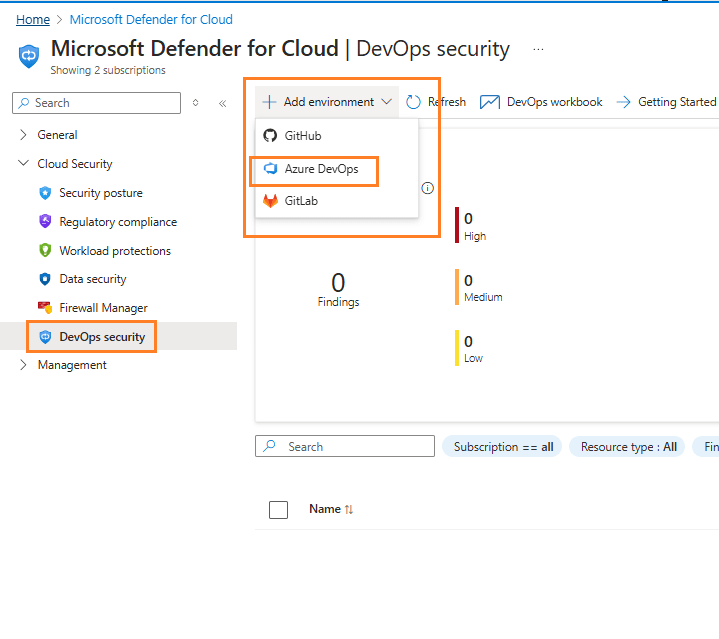
Here, you can select where your codes are nested – Github, ADO or GitLab.
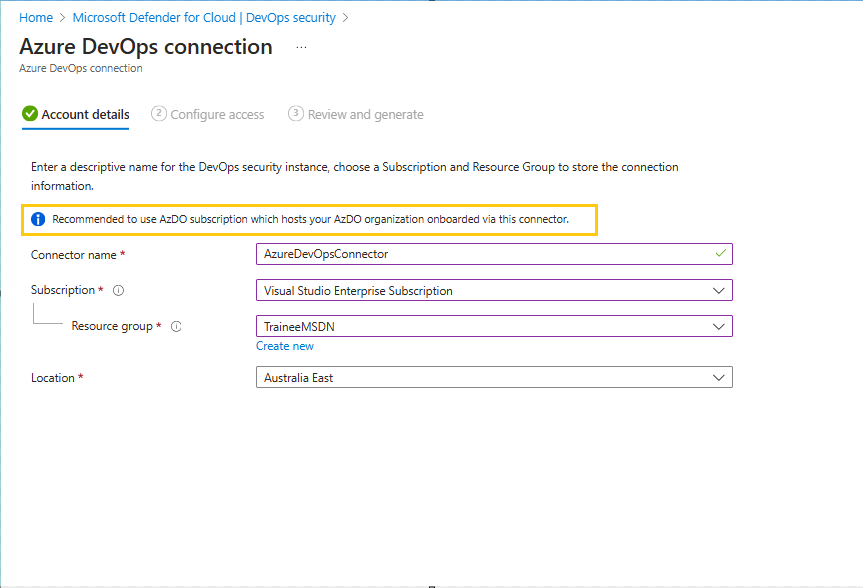
Populate the information as required. The recommendation highlighted here is important especially for multi-subscription organization.
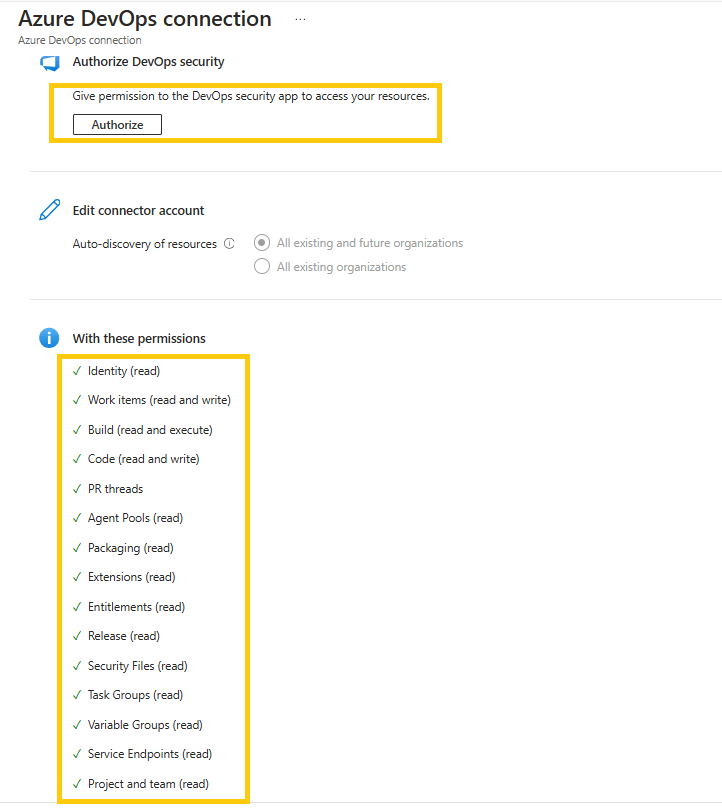
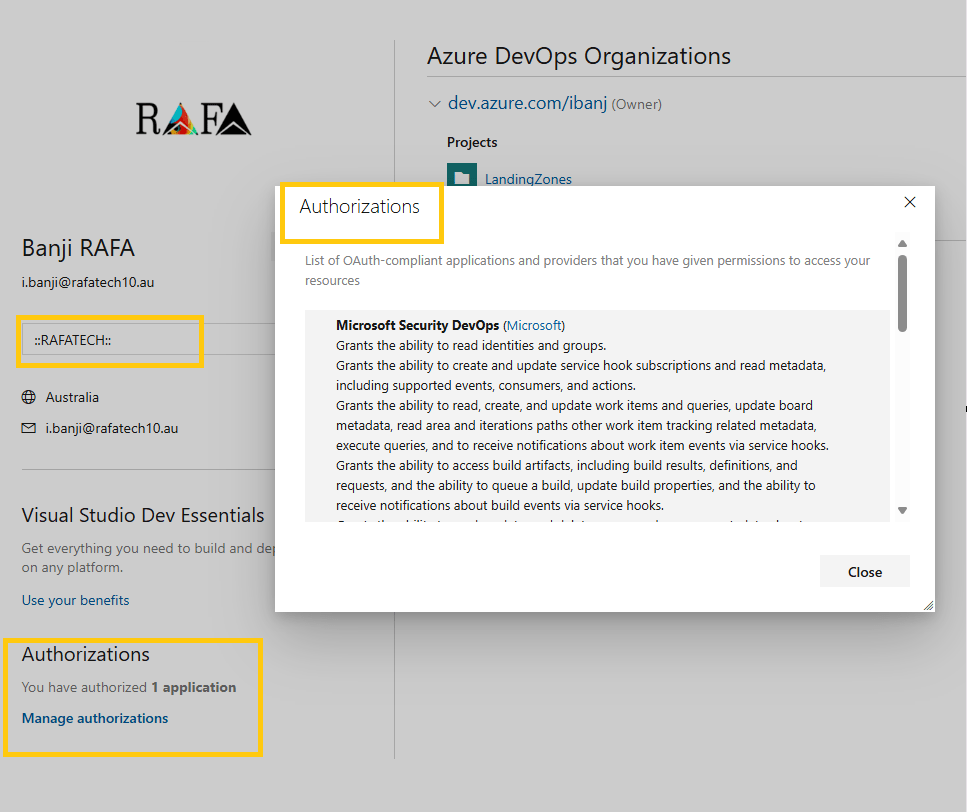
The Authorize button takes you to a prompt that shows you detailed information about the permissions. For multi-tenant-based organization, it is important to confirm the Tenant Name before approving the authorization prompt, or you might be giving permission to a tenant you didn’t wish to.
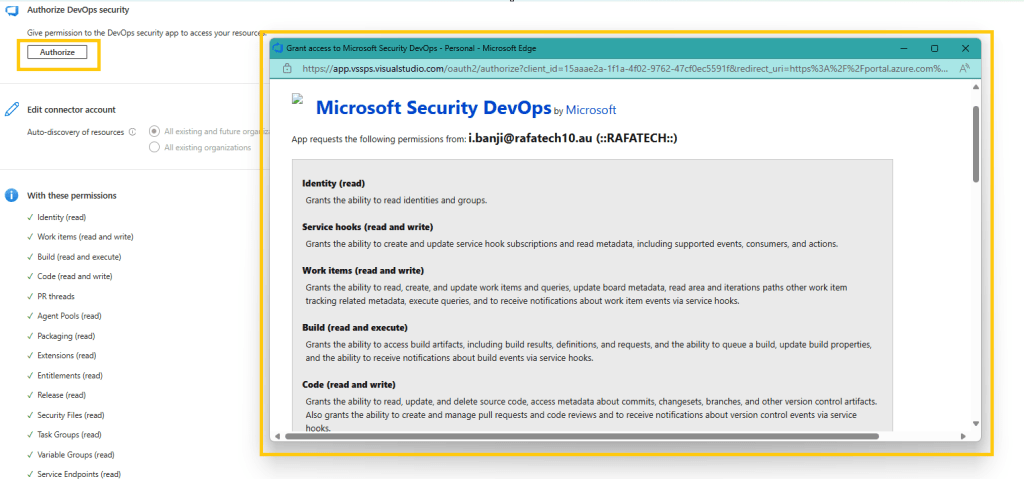
Here you would see detailed information about the permission, and you can find the Tenant Name just beside the email.
After this approval, it would take some minutes. For me, I did check back the next day. No rush for me, this is my playground.
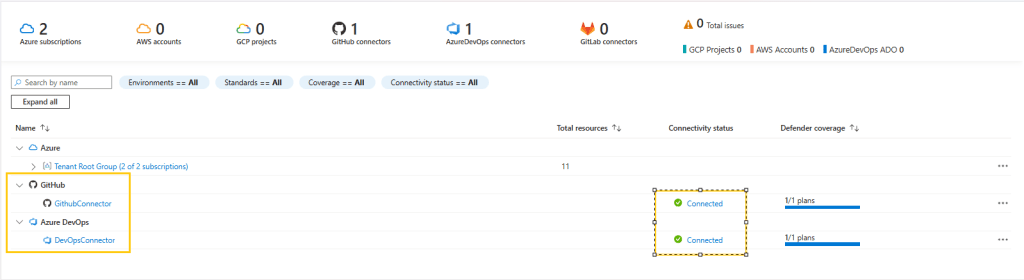
Now, you can proceed to your AzDO to download the needed extensions – Azure DevOps Extensions Requirements
Then, I setup my pipeline integrating the task to perform a credscan, templateanalysis
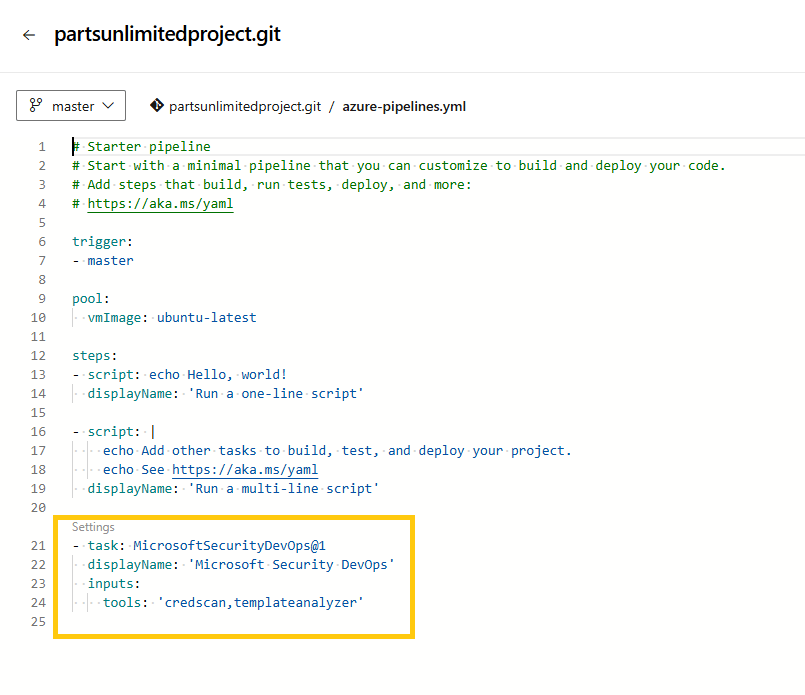
The extension link above would give the correct scan that can be performed by this extension as it changes with time.
Below are the current Open Source tools that can be scanned using this extension.
# tools: string. Optional. A comma-separated list of analyzer tools to run. Values: ‘bandit’, ‘binskim’, ‘checkov’, ‘eslint’, ‘templateanalyzer’, ‘terrascan’, ‘trivy’.
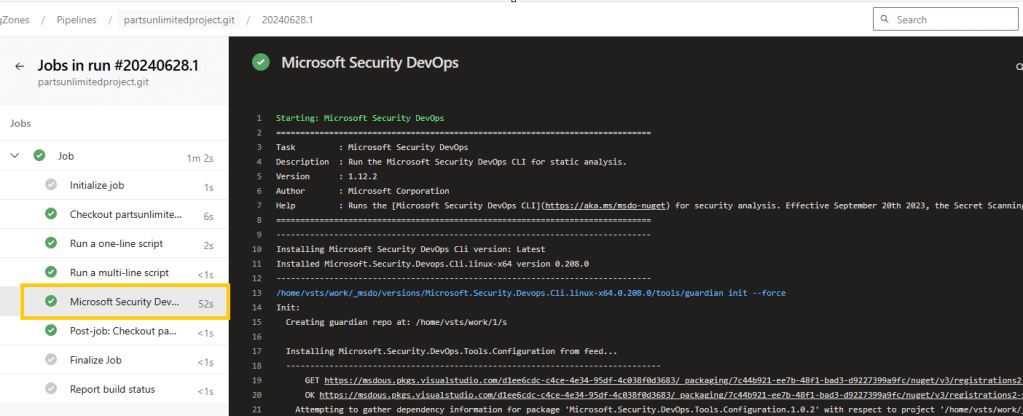
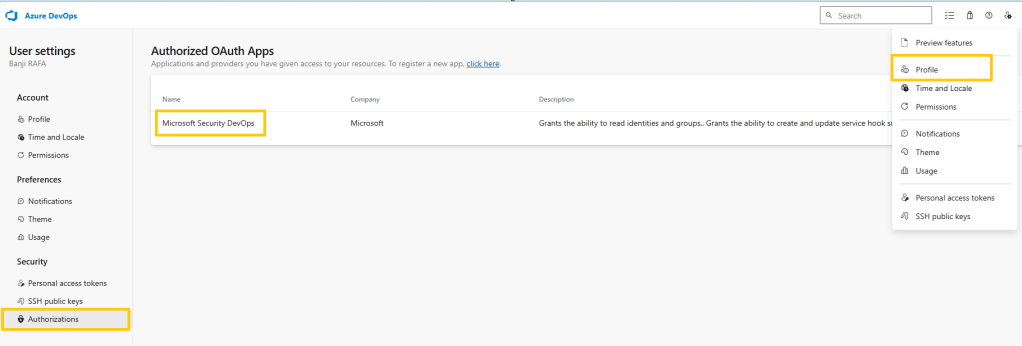
To troubleshoot, if the Defender for Cloud has been correctly authorized to your ADO. You can check the below
In conclusion, we have learnt how to integrate our code environments to Defender for Cloud. Then we can look forward to getting alerts and warning on best-practices.
Happy DevSecOping!
 RAFA MUSINGS
Leave a comment